
Where the leak is: hot leads cooling in your inbox
If you run Facebook ads for a beauty business, the ads are rarely what is broken. The leak sits downstream, in Messenger. Comments stack up under a promo post while your coordinator is with a client in the chair. DMs go unread through the evening rush. By the time someone replies with a price and an opening, the person has already booked wherever they got an answer first. Demand is not what you are short of, response time is.
Start with a pilot on one or two Pages
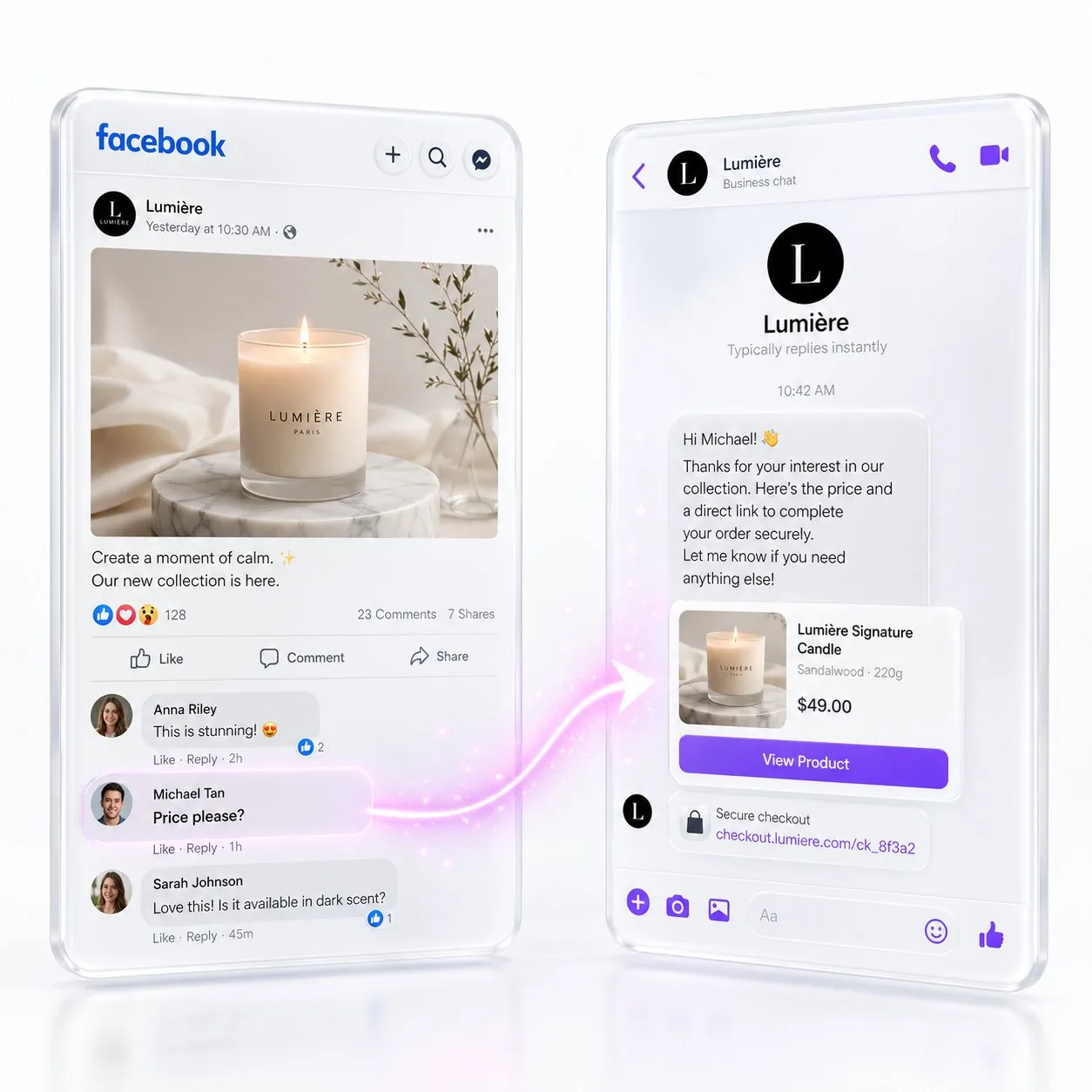
Do not switch on every location at once. Put a single MyChatBot sales agent on one or two Pages first and give it the two things it needs to be useful: your service menu as a Product Spreadsheet, and each location's hours, pricing rules, prep instructions and cancellation policy as Business Domain docs in the Knowledge Base. With that loaded, the agent can answer a public comment, move the conversation into a Messenger thread, quote a real price instead of "DM for details", and book straight into Google Calendar while the person is still interested, in your brand's warm tone rather than a template. Use the Configuration Wizard to assemble the instruction and battle-test it against the awkward questions your coordinators actually field, and keep the versions so you can roll back a wording change that made replies worse.
Roll the agent out to every location
Once the pilot reads the way you want it to, clone the agent across the rest of your Pages. Each location keeps its own Google Calendar and its own pricing, while they all report into one CRM, whether that is KeyCRM, SalesDrive, Bitrix24, Kommo, HubSpot or something else you already run. Every interested thread becomes a tracked lead through create_crm_lead, tagged with source "AI-" and carrying a lead_chat_link, so whoever opens the card can read the actual conversation instead of guessing what was promised. That is what changes the view from head office: pipeline per location, in one place, instead of a fog of unread DMs. Switch on Follow-ups for threads that go quiet, so the person who asked about a package on Friday and never replied gets a nudge on Monday instead of being forgotten, and let Lead Processing labels and statuses keep the rest sorted.
Where your team steps in
Your coordinators are not being replaced, they are being taken off the repetitive half of the inbox. Hand-off Control sends complex requests (allergies, bespoke packages, complaints) to staff via Flight Control in Telegram, with silent hand-off so the client never sees a switch. Set a stop word so any client can reach a person on demand, and use Agent On/Off with a schedule if you want the agent covering nights and weekends while your team owns working hours. The agent carries the volume; your people keep the judgment calls.
What changes in practice
The mechanism is simple enough to state in a line: nobody waits. A first reply lands while the person is still in the app rather than after the evening rush, so fewer qualified DMs go cold overnight. Every location feeds the same pipeline, so you can finally tell which Page produces bookings rather than which one produces comments. And your coordinators spend their attention on the conversations that need a human, not on retyping the price list. Start narrow, with one Page, one service menu and one calendar, and widen the rollout only when the transcripts read the way you would want your best coordinator to sound. The win here is not a smarter ad, it is never making a lead wait.
A real customer story on this: DMs and comments answered in seconds across 4 networks.