
Overview
TikTok integration allows your agent to handle direct messages and comments on your TikTok account. This provides automated customer service and lead generation through one of the most popular social media platforms, enabling real-time engagement with followers and potential customers.
Features
Direct Message Responses, automatically respond to private messages on TikTok. Quick Comment Replies, set up automatic quick replies for comments. Private Follow-up Replies, initiate conversation in private messages after a comment.
Prerequisites
Before setting up the TikTok integration, ensure you have admin access to the TikTok account you want to integrate, and browser access to TikTok (for cookie extraction).
Step 1: Prepare your TikTok account
- Log in to your TikTok account in a web browser
- Go to
https://www.tiktok.comand verify you can see your profile - Ensure you have access to direct messages and can respond to comments
Step 2: Extract authentication cookies
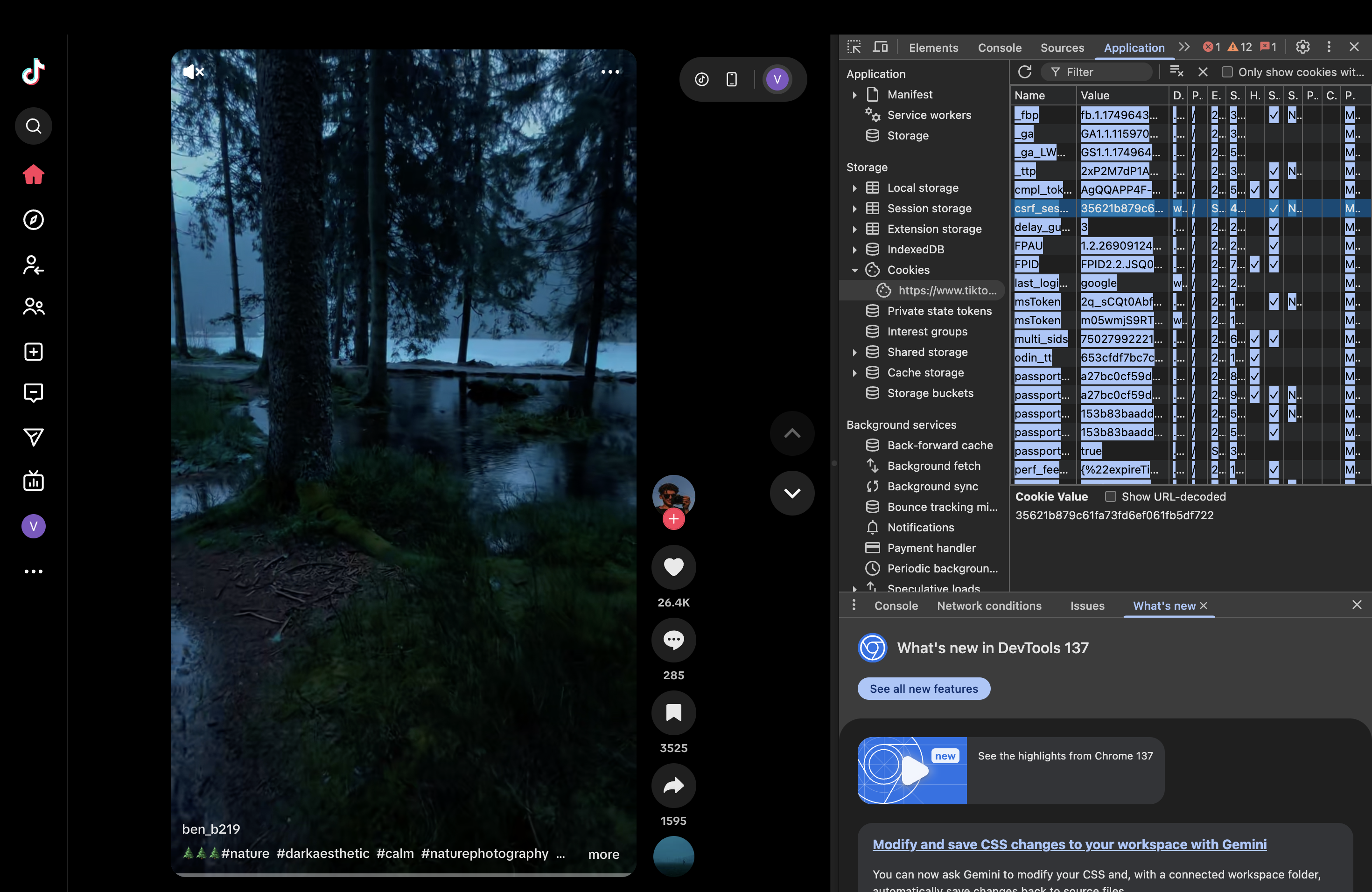
TikTok uses cookie-based authentication for this integration. Open Developer Tools: Windows/Linux press F12 or Ctrl+Shift+I; Mac press Command+Shift+C or Command+Option+I; or right-click the page and select "Inspect".
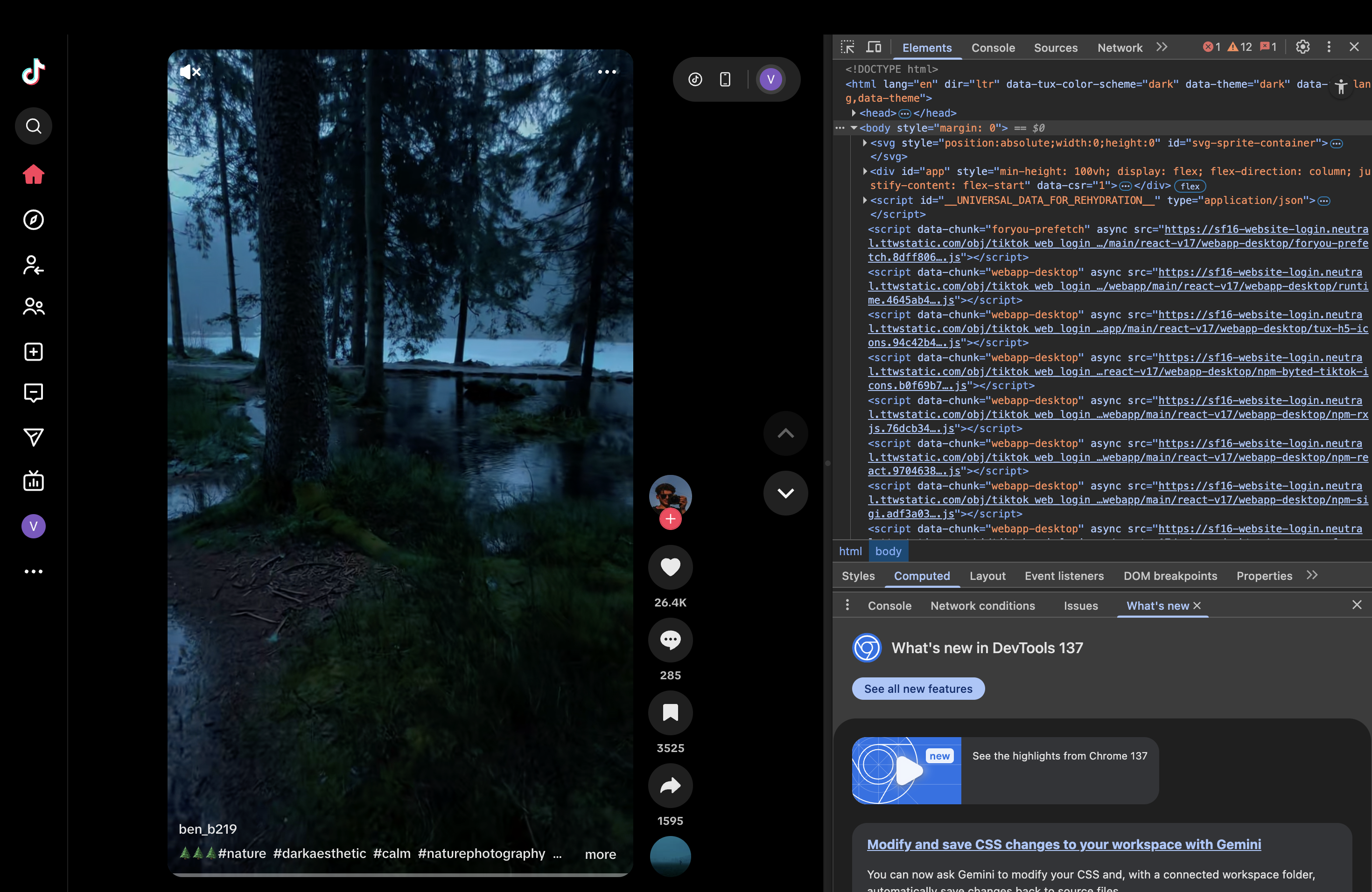
Navigate to the Application tab (or "Storage" if "Application" isn't shown).
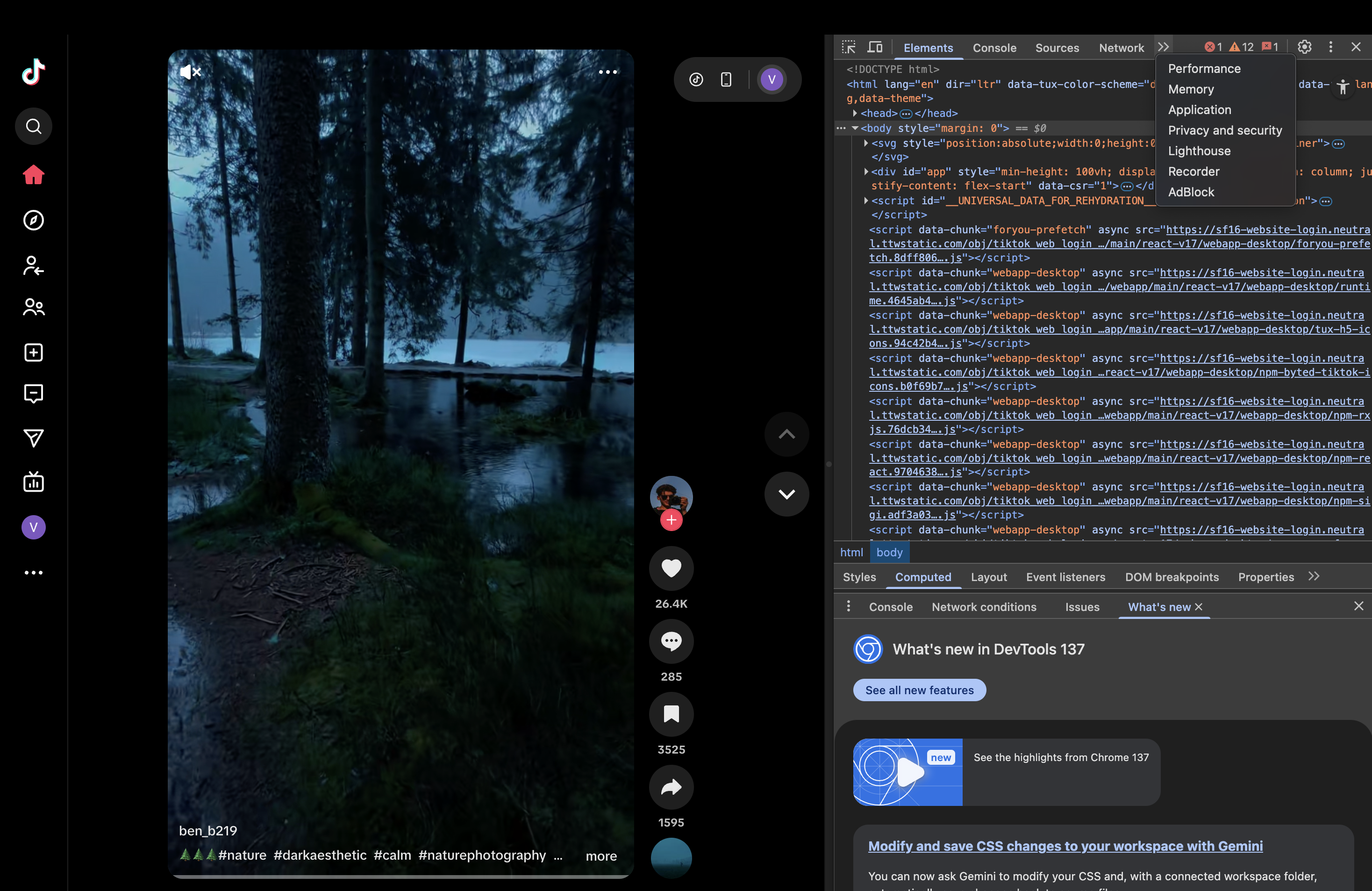
Find the Cookies section in the left sidebar, expand it, and click https://www.tiktok.com.
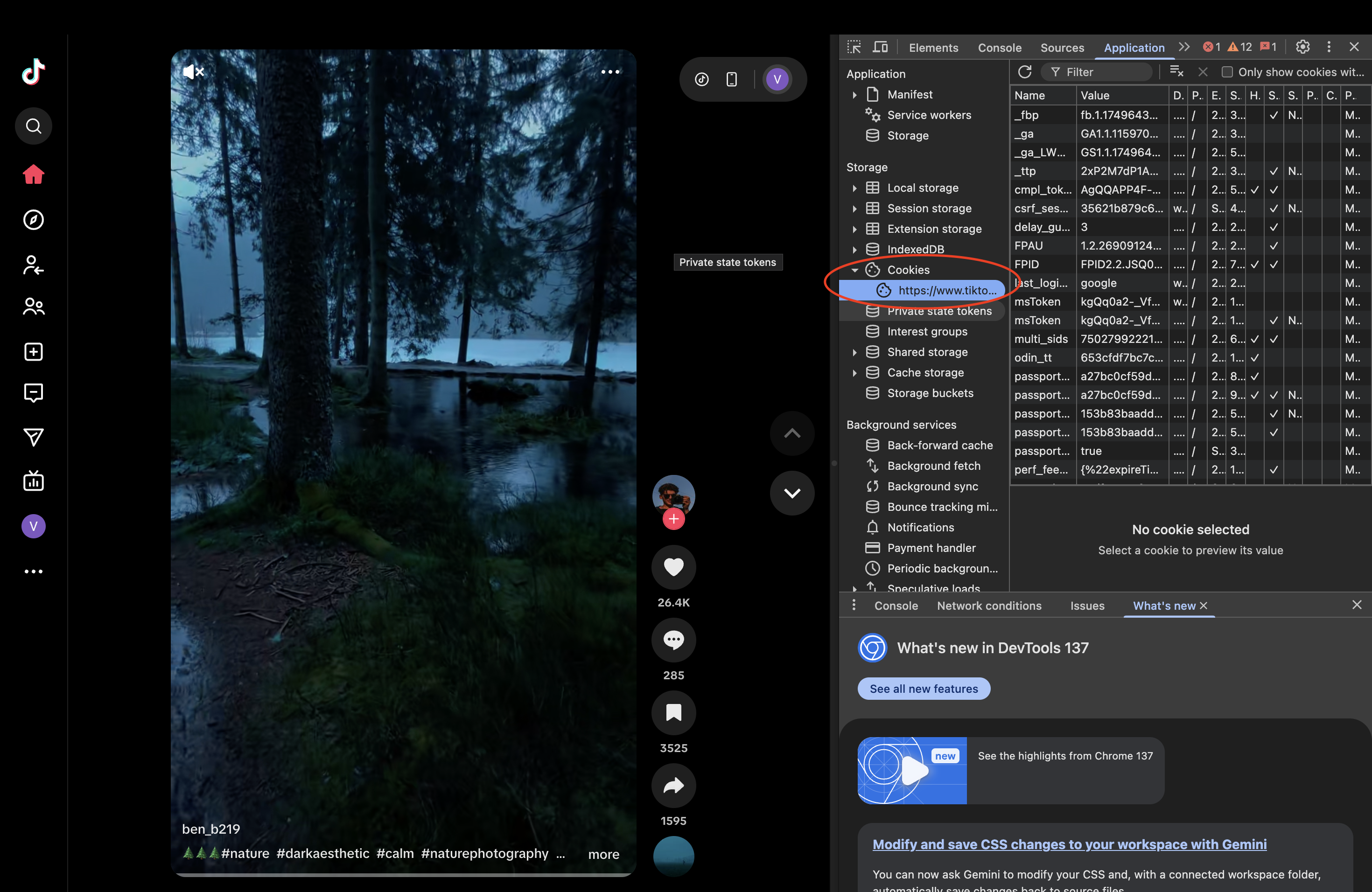
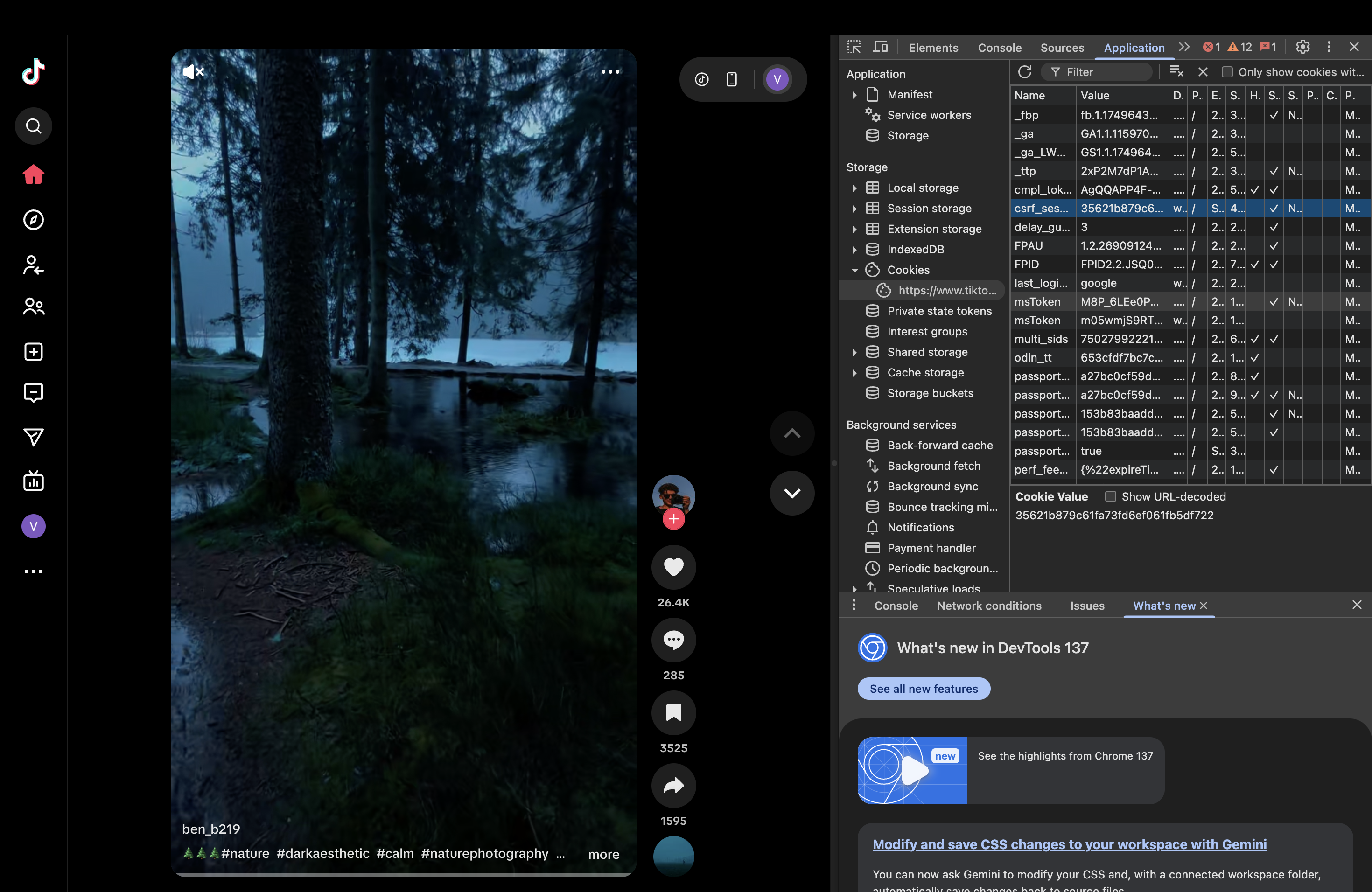
Copy all cookie data: click the top-left cell of the table, press Ctrl+A/Command+A to select all, then Ctrl+C/Command+C to copy. Keep your cookie information secure and do not share it with unauthorized parties.
Step 3: Connect TikTok in MyChatBot
- Navigate to the Channels tab in your dashboard
- Select the agent you want to connect to TikTok
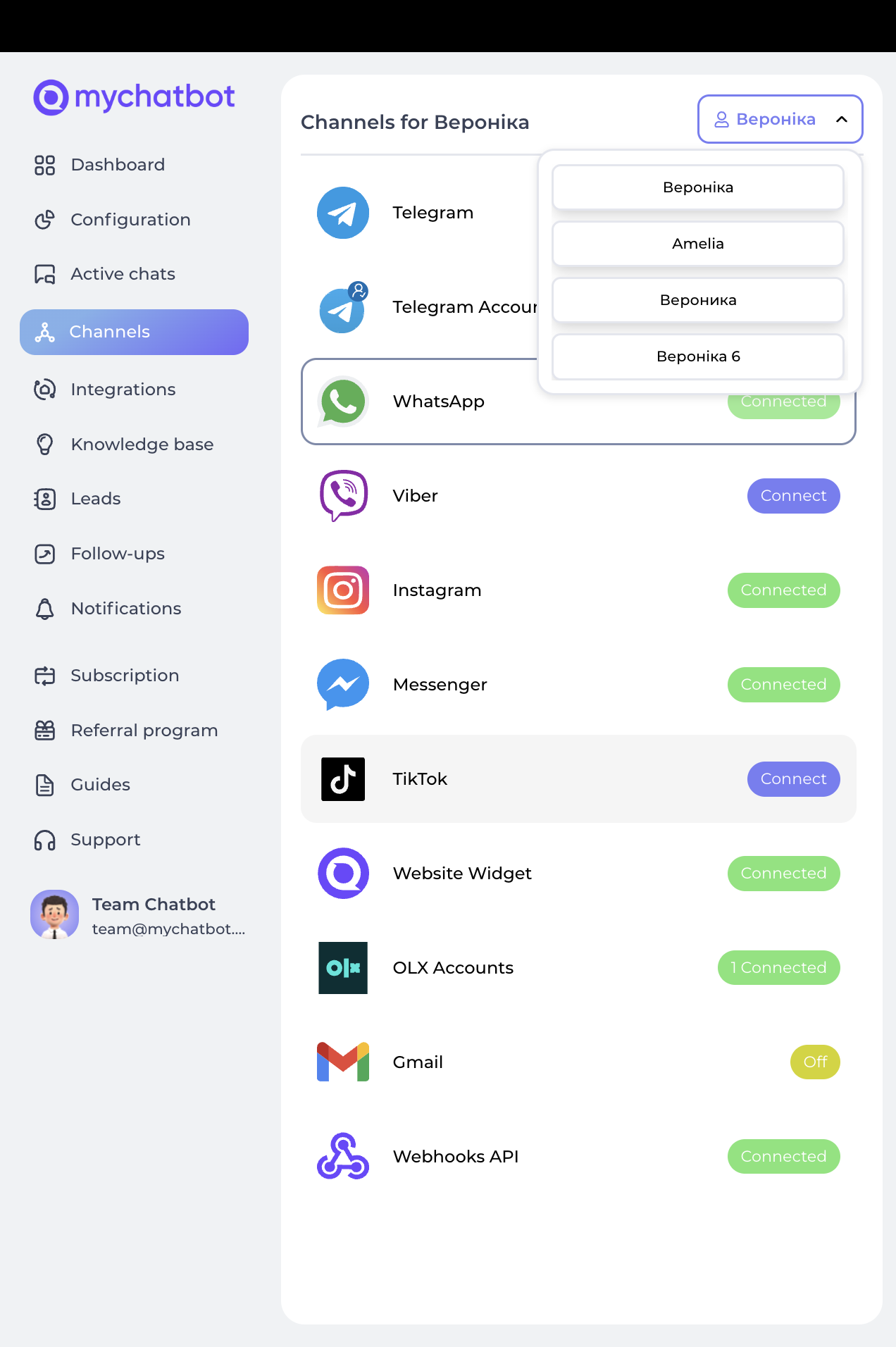
- Find and click the TikTok tab
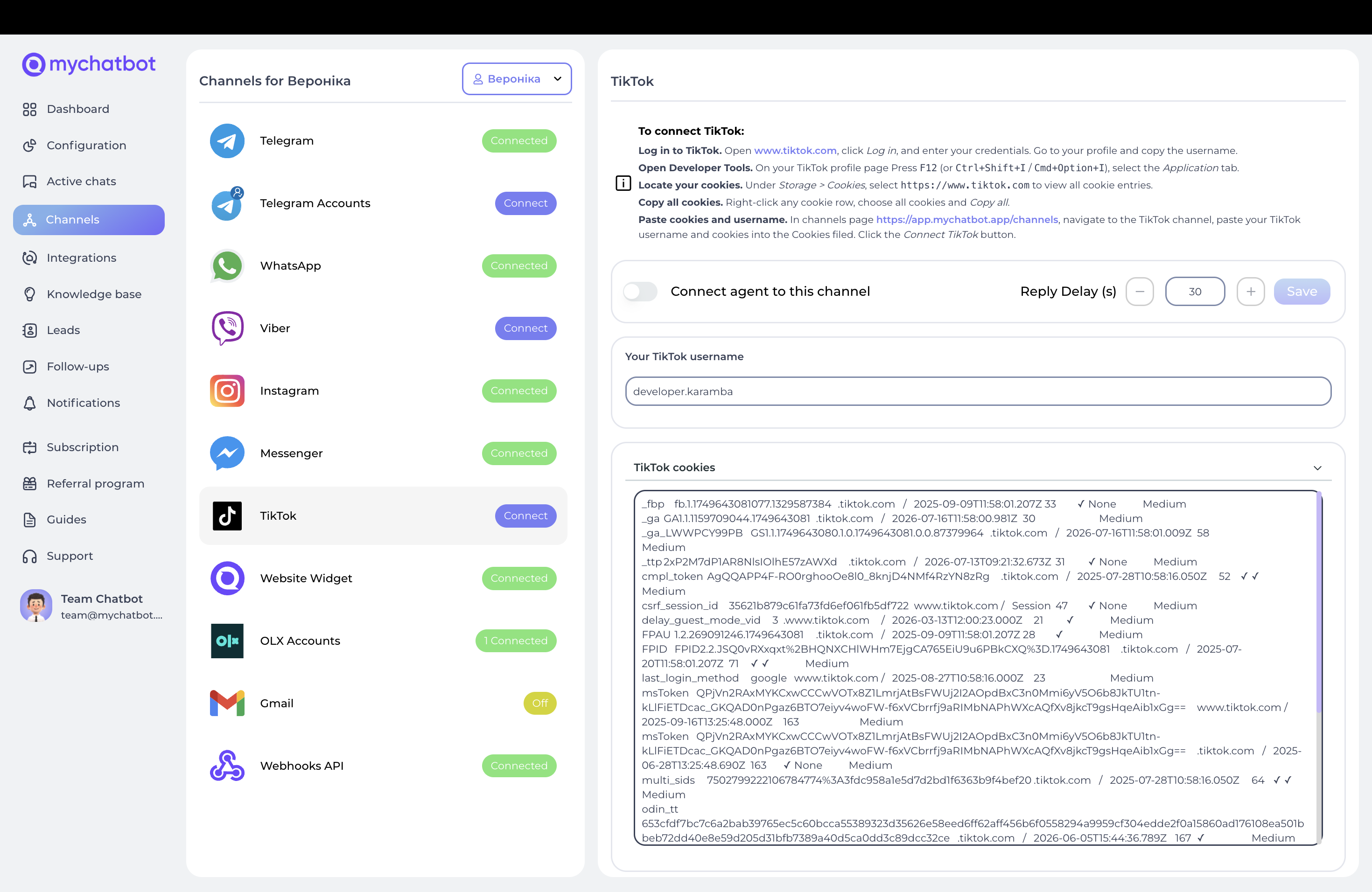
- Click the Connect button
- Provide your TikTok Page Name (username/handle) and the Cookies extracted from your browser
How it works
Message flow: when someone sends a direct message to your TikTok account, the message is forwarded to your agent, which processes it and generates a response that is automatically sent back to the user on TikTok.
Comment handling: when someone comments on your posts, an automatic quick reply is sent immediately (if enabled), and the comment is also processed by your agent for a DM follow-up.
Best practices
Keep response times reasonable to maintain engagement; follow TikTok's community guidelines in all responses; be mindful of privacy when handling user information; use TikTok's casual, creative communication style; maintain your brand voice while being conversational.
Troubleshooting & re-authentication
Common issues: messages not receiving (check integration enabled, cookie validity, message permissions); responses not sending (verify API connection, sending permissions, rate limits); authentication errors (re-extract cookies, ensure active session, check account restrictions).
Re-authentication: if cookies expire, log back into TikTok, extract new cookies (Step 2), update them in your dashboard, and test the connection.
Limitations
Requires valid browser cookies for authentication; subject to TikTok's rate limiting; may require periodic re-authentication when cookies expire; limited to text-based responses (images/videos require additional setup); must comply with TikTok's terms of service and community guidelines.